The Philosophy of 'Juice'
In game development, the difference between a mechanic that "works" and one that "feels good" is often referred to as Juice. While macro-interactions define the gameplay (e.g., "I cut the pizza"), micro-interactions define the experience (e.g., "The pizza resists, then snaps apart with a satisfying flash").
At Orange Ember Studios, we believe these small details are what elevate a project from a simple MVP to a state-of-the-art experience.
Why Godot 4?
For our latest project, Exact Slice, we chose Godot 4.6. Why? Because its AnimationPlayer and Tween systems are among the most developer-friendly in the industry. They allow us to iterate on micro-animations in seconds without leaving the editor.
Case Study: Slicing in Exact Slice
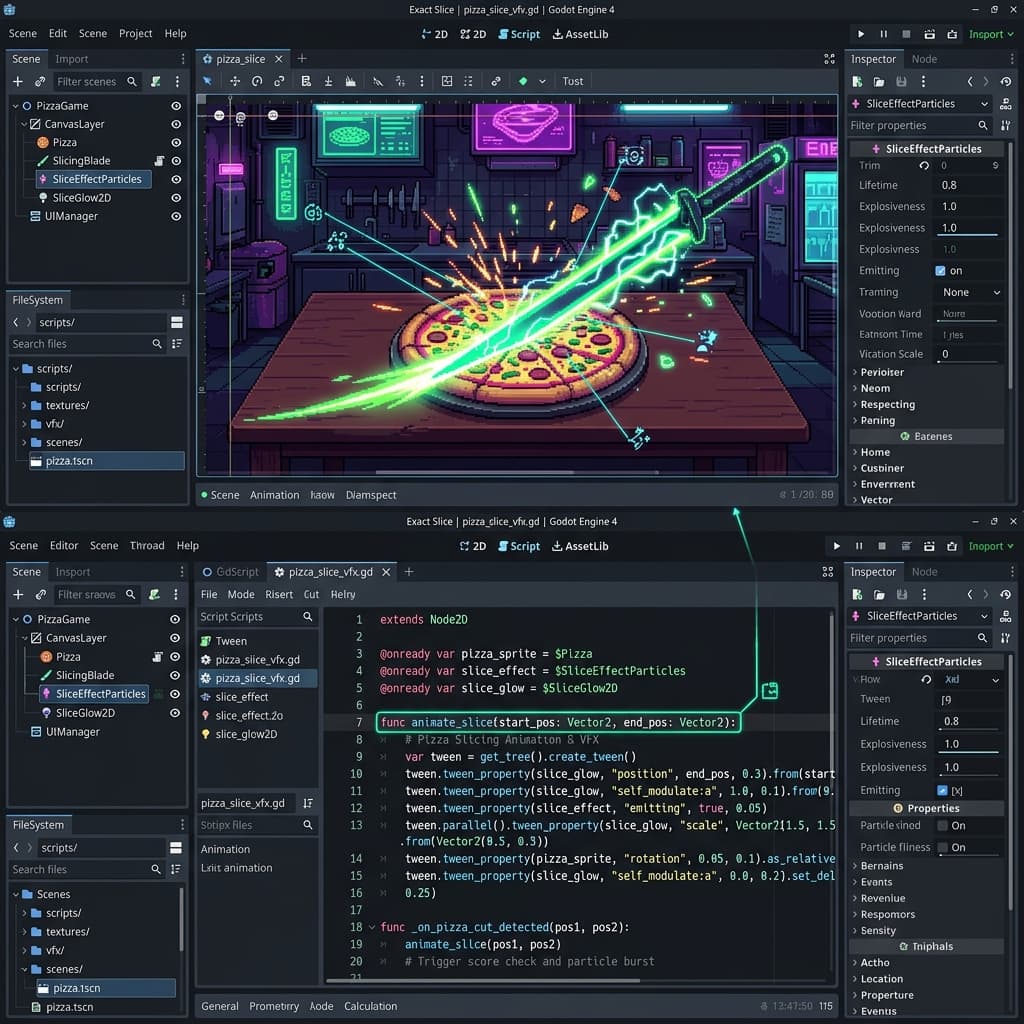
When a player makes a cut in Exact Slice, several things happen simultaneously to provide tactile feedback:
1. The Separation (Tweens)
Instead of just teleporting the two halves apart, we use a Tween to smoothly interpolate their position and rotation. This gives the feeling of physical momentum.
func animate_slice_separation(piece_a: RigidBody2D, piece_b: RigidBody2D, direction: Vector2):
    var tween = create_tween().set_parallel(true).set_trans(Tween.TRANS_CUBIC).set_ease(Tween.EASE_OUT)

    # Push pieces significantly away from each other
    tween.tween_property(piece_a, "position", piece_a.position - direction * 50, 0.4)
    tween.tween_property(piece_b, "position", piece_b.position + direction * 50, 0.4)

    # Add a slight random rotation for extra personality
    tween.tween_property(piece_a, "rotation", piece_a.rotation + randf_range(-0.1, 0.1), 0.4)
2. The Visual Pulse (Glow & Flash)
A "flash" effect highlights the cut line. We achieve this using a simple shader or by temporarily increasing the self_modulate value of the sprite.
3. Screen Shake & Haptics
Nothing says "impact" like a subtle screen shake. We use a dedicated ShakeCamera2D node that interrupts the player's focus just enough to acknowledge the action.
# Simple Screen Shake implementation
var shake_intensity: float = 0.0

func _process(delta):
    if shake_intensity > 0:
        offset = Vector2(randf(), randf()) * shake_intensity
        shake_intensity = lerp(shake_intensity, 0.0, delta * 10.0)

func apply_shake(intensity: float):
    shake_intensity = intensity
Bridging the Gap
Micro-interactions are more than just "polish"—they are the primary way to communicate with the player's subconscious. In Exact Slice, every percentage calculated and every visual fragment that flies off is a deliberate technical choice to ensure the player feels the "snap" of a perfect cut.
If you are a developer looking to build games that feel "alive," Godot is your best friend. Its modular architecture means you can build these feedback systems once and reuse them across all your projects.
Ready to Experiment?
Start small. Add a bounce to your buttons. Add a 0.1s freeze on impact. You'll be surprised how much these "invisible" details change your game.
Stay tuned for more technical deep dives into our development process at Orange Ember Studios!