🎮 Orange Ember Studios | HDR in Godot 4.7: light that finally shows up
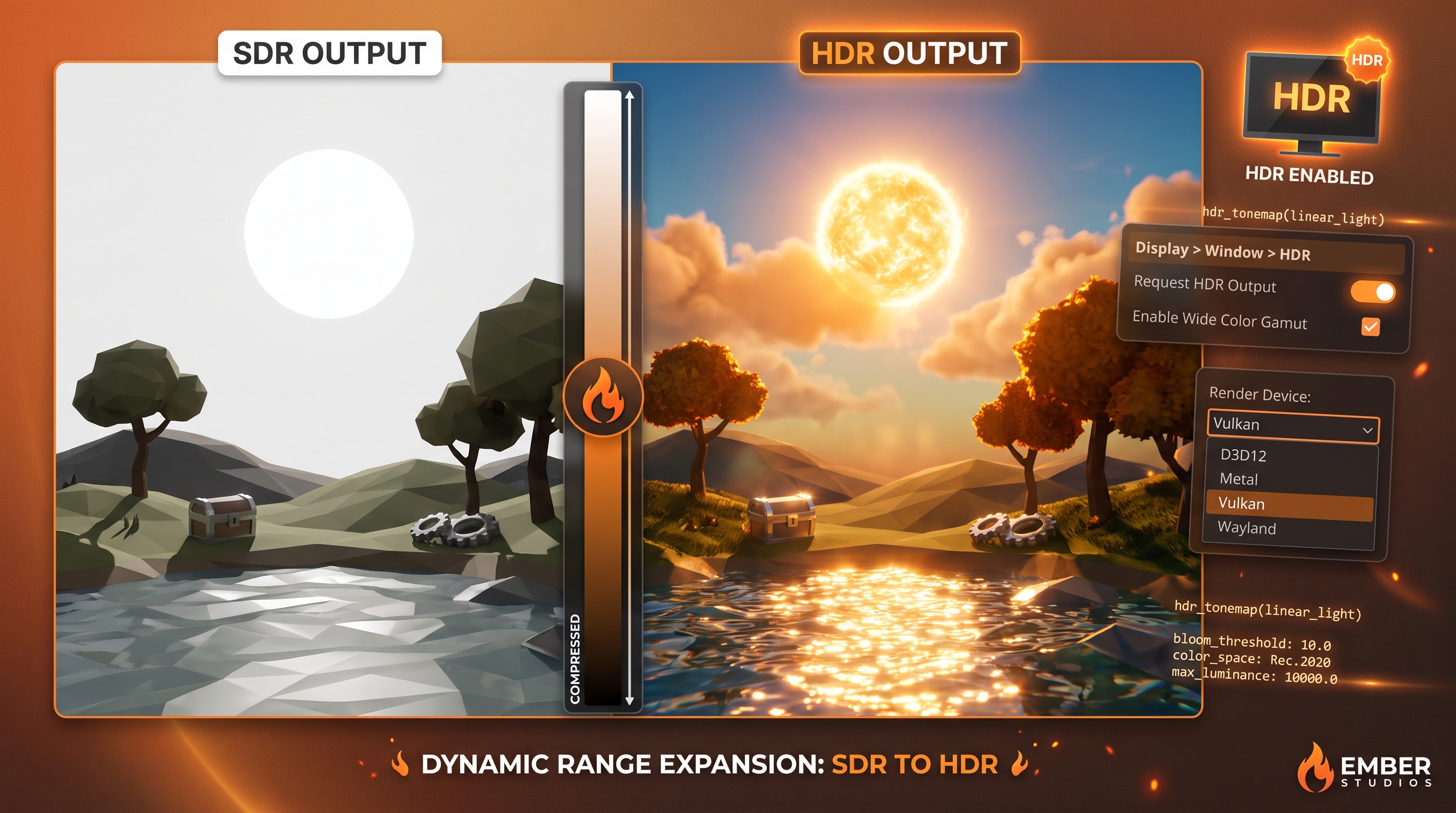
The sun brighter than the clouds. Reflections that no longer clip. Shadows that keep their detail. HDR output has finally arrived in Godot 4.7 — and you can see it right away.
⚙️ What is HDR output
Godot has been rendering internally in HDR for years (more precision, less banding). What was missing was getting it to the screen:
- Greater dynamic range: bright areas with real detail, not blown out
- Richer color in lights, reflections and bloom
- The ideal foundation for convincing glow and tonemapping
Good news: it activates with a single toggle. Zero new code required.
🔧 Requirements before touching anything
It doesn't work everywhere. Validate this first:
- Platform: Windows, macOS, iOS, visionOS or Linux with Wayland. NO X11. NO Android yet. NO Web.
- Renderer: Forward+ or Mobile. Compatibility does NOT support HDR.
- Driver: Windows → D3D12 (default since 4.5). Apple → Metal or Vulkan. Linux → Wayland.
🚀 How to enable it in 4 steps
- Open Project Settings → Display → Window → HDR
- Enable "Request HDR Output" (no editor restart needed)
- Confirm your driver and renderer meet the requirements
- Expose an option in your graphics menu: the player must be able to toggle HDR and calibrate brightness
💡 Why it looks so good
Behind the scenes, two big changes in 4.6/4.7 do the heavy lifting:
- AgX tonemapper reworked to preserve true dynamic range
- Glow now uses Screen blend mode and is applied before tonemap
Result: the sun in your 3D scene finally outshines the clouds without clipping. Specular reflections with detail. Lights that breathe.
If you want more tutorials like this and to support the studio, a coffee goes a long way ☕ https://buymeacoffee.com/seobryn